Customising cards with checklist progress & completion
A common goal is to see checklist status without opening every work item. This extension supports that by writing checklist state into normal Azure DevOps fields so you can use built-in boards, queries, and dashboards.
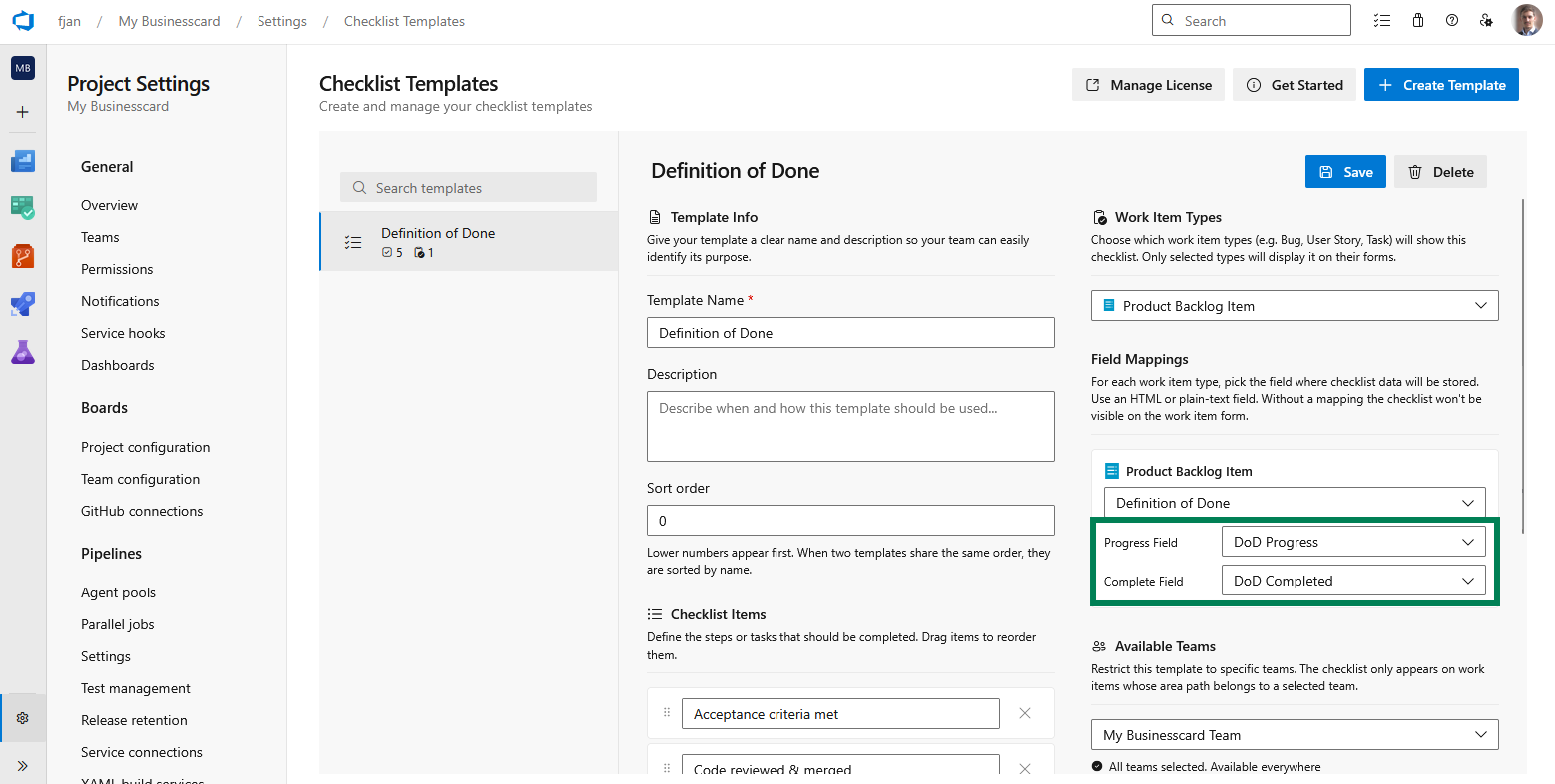
Map Progress and Complete (Premium)
When you map Progress and/or Complete fields (Premium), those fields behave like any other work item fields. Configure mappings in Project settings → Checklist Templates per template and work item type. See Working with templates.
Showing progress on board cards
- Add Progress and/or Complete to card fields in board settings so the team sees the progress summary or
Yes/empty completion at a glance. - Use them in backlog and sprint views where your process shows custom fields.
You choose which fields appear on cards using Azure DevOps’ native customization - similar in outcome to other checklist products that surface progress on cards.
Queries and dashboards
With Progress/Complete mapped:
- Build queries that filter or sort by the Progress text (for example
67% (4/6)) or by Complete (empty vsYes, for example all stories where the checklist is not complete). - Pin query charts or use Analytics views where your organization allows custom fields.
The checklist markdown field can also be queried where Azure DevOps supports that field type in WIQL; many teams prefer the dedicated Progress/Complete columns for reporting.
Free tier without Progress/Complete fields
On the free tier you still complete, skip, and add custom items on the work item form using the storage field. Reordering items on the work item, and separate Progress/Complete columns for boards, require Premium.
Related topics
- Enabling style rules - highlight cards using the same mapped fields.
- Preventing moving work items to done while a checklist is not completed - enforce completion before closing work items.