Enabling style rules
Style rules on Azure DevOps boards color or emphasize cards when certain conditions are true. This extension does not add a separate “style rules” engine; instead, checklist Progress and Complete values live in ordinary work item fields (Premium). You can reference those fields in native board style rules.
Prerequisites
- Map Progress and/or Complete in Working with templates (Premium).
- Ensure those fields are available on the work item types you use on the board.
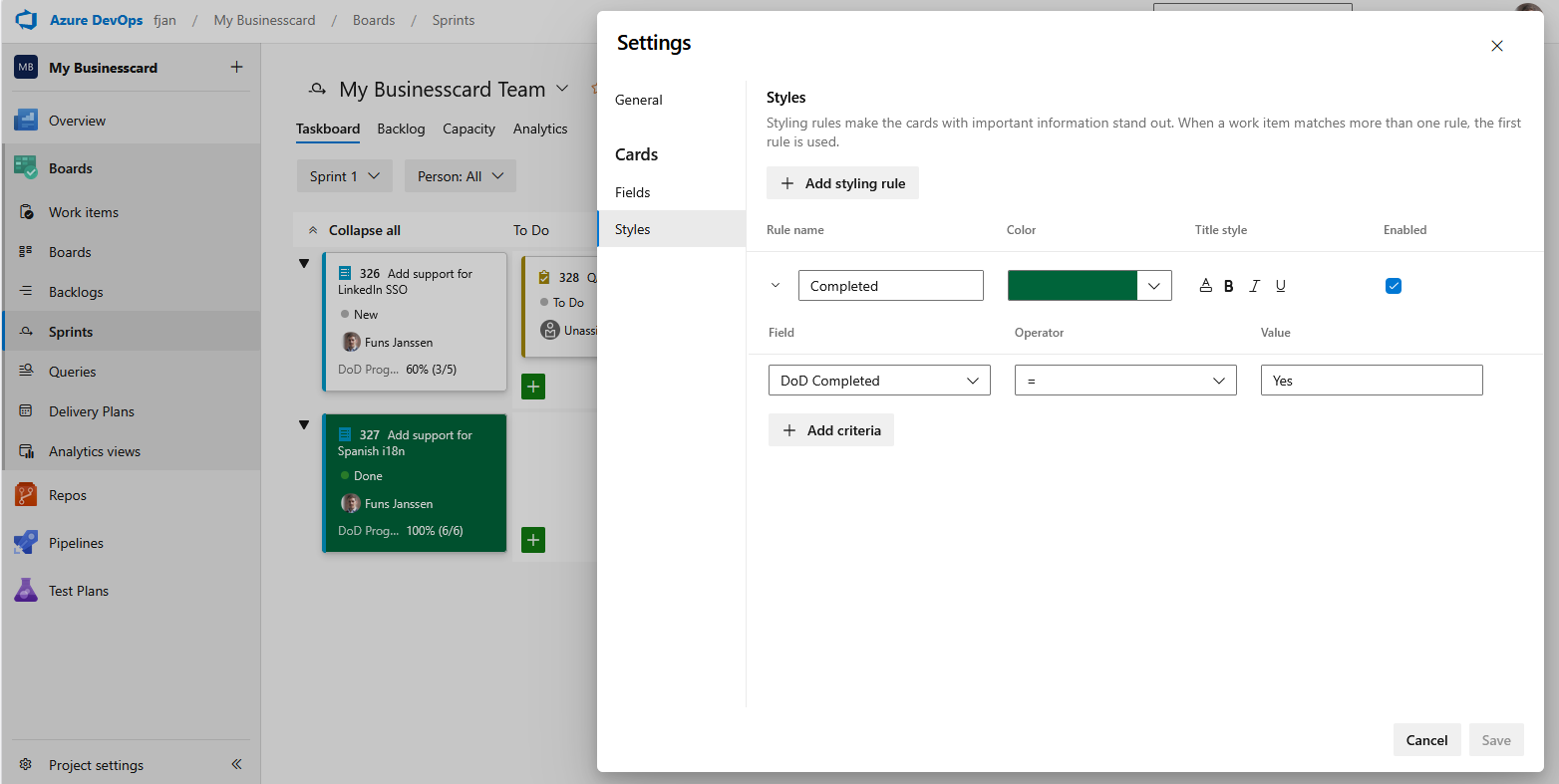
Configure style rules on the board
- Open your Board (for example Sprints or Boards for your team).
- Open Board settings (gear or Configure board settings).
- Go to Styles (or Card styles / Style rule depending on your Azure DevOps version).
- Add a rule: set a condition on your Complete field (for example is empty) or on Progress (for example text does not contain
100%if that matches your expected “done” format), then pick a card color or formatting your process supports.
That highlights work items whose checklists are incomplete - without leaving Azure DevOps’ built-in behavior.
Tips
- Combine with queries that filter on the same fields for triage views.
- See Microsoft’s documentation for customizing cards and your server or service version for the exact style rule UI.