Preventing moving work items to done while a checklist is not completed
To block moving a work item to Done (or Closed, or another state) until a checklist is finished, use Azure DevOps work item rules together with a Complete field mapped by the extension (Premium).
Why rules need mapped fields
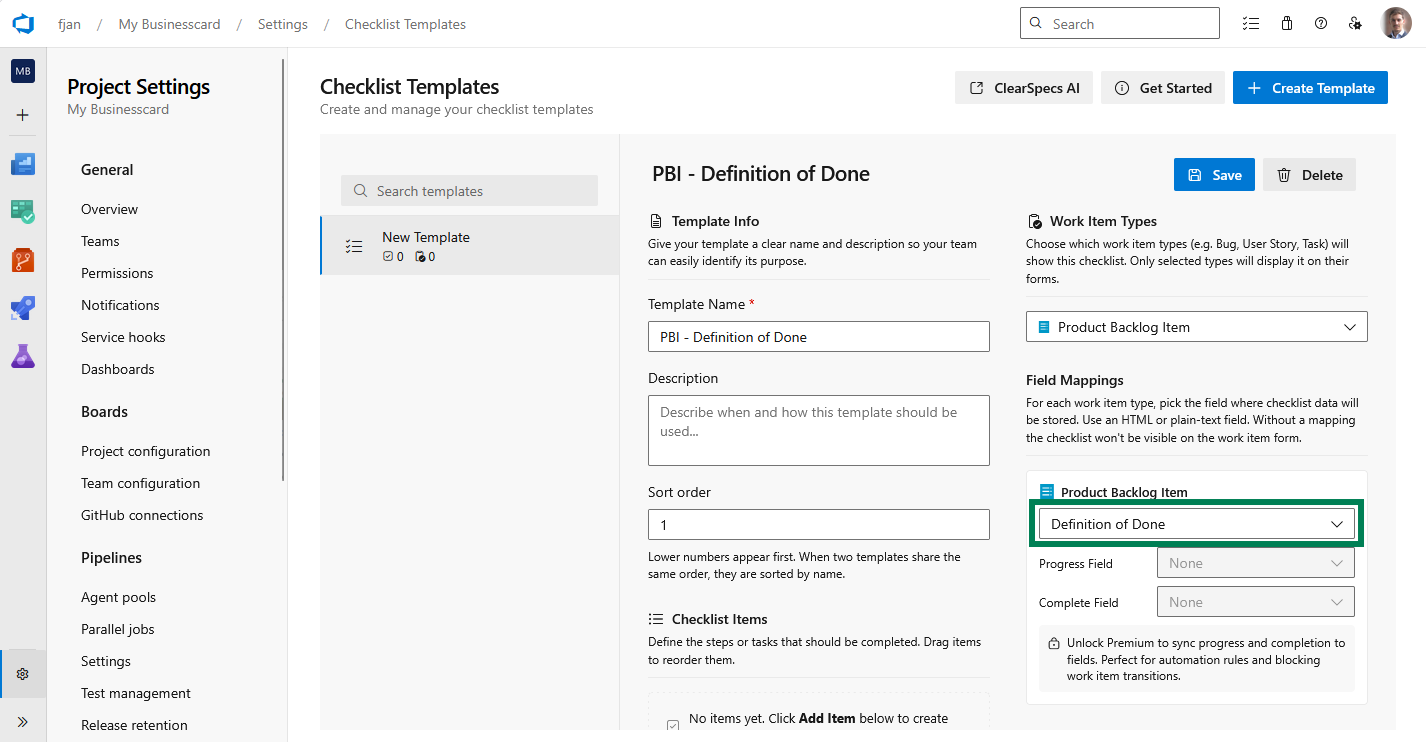
Work item rules run against fields on the work item. The checklist UI alone is not a first-class rule target in Azure DevOps process rules. The extension syncs completion to a Single line text field (Yes when complete, empty when not) when you configure a Complete field mapping (Premium).
Until Progress and Complete are mapped and present on the form, the extension surfaces guidance that rules cannot enforce checklist completion until you finish field setup in Working with templates.
The template editor is where the Complete field mapping is configured before Azure DevOps rules can use it:
Typical pattern
- Create or pick a Single line text field (for example
Checklist completeor your process equivalent). - Map it as the Complete field for the template in Checklist Templates.
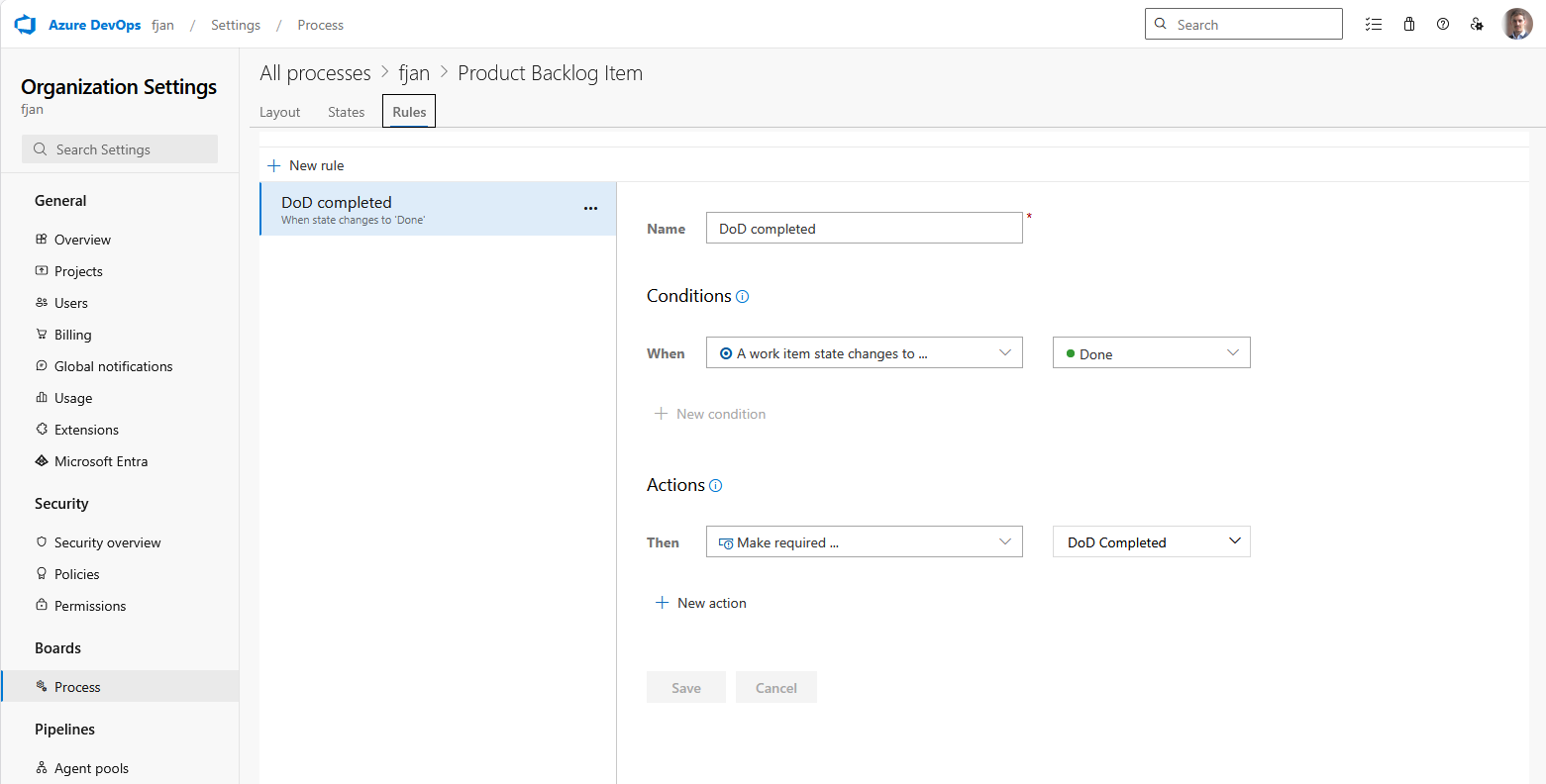
- In Organization settings → Process (or inherited process), add a rule on the work item type:
- When state changes to
Closed/Done(or your terminal state), - And the Complete field is empty (or not equal to
Yes, depending on how your process expresses the condition), - Then prevent the transition (or show validation), depending on what Azure DevOps Server/Services supports for your process version.
- When state changes to
Exact rule authoring differs between Inherited and Hosted XML processes. Refer to Microsoft’s work item rules documentation for your version.
Limit the rule to teams that use a checklist
Process rules apply to every work item of that type. Area Path cannot be used as the condition. Set the Complete field's default value to Yes on the work item type. The rule still blocks a move to Done or Closed when the field is empty. Work items that never load a checklist stay Yes.
When the work item form loads a matching checklist, the extension syncs Complete:
- It clears the field while any item that is not skipped is still unchecked.
- It sets
Yeswhen every such item is checked. - It sets
Yeswhen the checklist has no items, or every item is skipped. An empty template is a valid no-operation checklist for a team that matches a template and has nothing to enforce.
Scope those templates with Available teams, and with Visible in projects where needed, so other teams do not match. The extension does not write Complete on a work item with no matching template.
The synced value is stored when someone saves the work item. Opening the form marks it unsaved when the field has to change. A move to Done from the board, before that first save, still sees the default Yes. After the save, later moves see the stored value.
Work items created before the default was set keep an empty Complete field. Bulk-set Complete to Yes once where the checklist content field is empty. New work items pick up the default.
Queries and pipelines
Because completion is a normal field, you can also use queries or quality gates in pipelines that read the same field. See Customising cards with checklist progress & completion.
Related topics
- Enabling style rules - visual emphasis on the board for incomplete checklists.